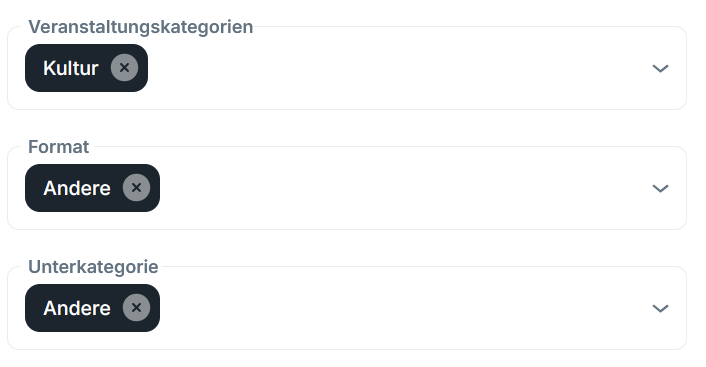
✔ When creating new events, you can now select matching main categories and subcategories. There are five main categories in total, each with its own subcategories.
✔ Once enough events have been categorized, we can add a search and filter function to the web shop and, in future, recommend similar events to buyers. That means more visibility for your events.
✔ For existing events, the general category “Culture – Other” was assigned automatically so that no error messages appear when editing them.
✔ Until the filter function is available, you can either ignore this or take the opportunity to try out the new category system with your existing events.
SAVE LOCATIONS
✔ You can now add and savevenues yourself that don’t appear in the search (because they aren’t listed on OpenStreetMap).
✔ You can create and edit venues directly in events and event series.
✔ Venues no longer have to be added again every time – they stay saved permanently.
UPPER AUSTRIAN CHAMBER OF LABOR (AK OÖ) BENEFITS CARD
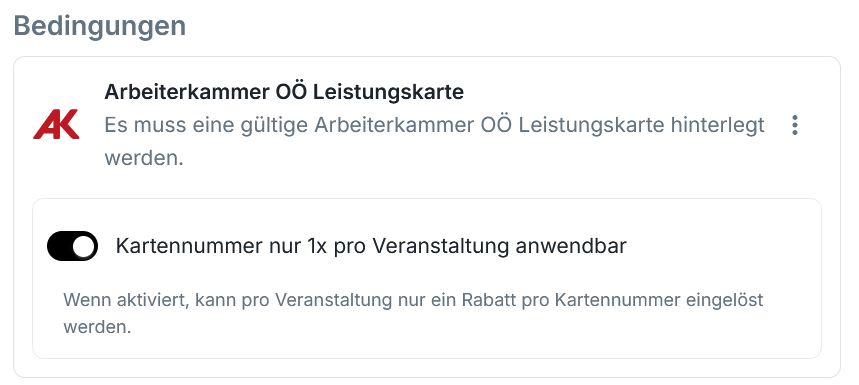
✔ With fixed discounts, you can now also integrate the benefits card (Leistungskarte) of the Upper Austrian Chamber of Labor.
✔ When buying a ticket, the card number is validated live and the discount is applied automatically.
💡Please note: this feature is currently only available to benefits card holders from Upper Austria.
AGE VERIFICATION FOR DISCOUNTS
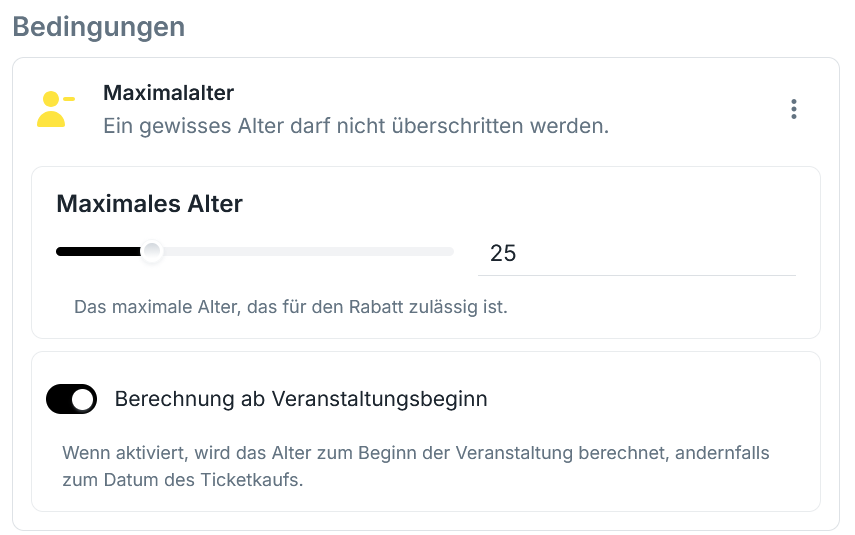
✔ Also new: age verification for fixed discounts.
✔ When buying a ticket, the buyer’s age is requested and the discount is applied automatically.
✔ You can define any maximum age. When purchasing, buyers confirm their date of birth.
✔ This is particularly handy for youth discounts.
MORE UPDATES
✔ We’ve also made a number of improvements to the system.
✔ Minor bugs have been fixed.
✔ Seat numbers are now shown in the cart (in the POS and the web shop).
✔ The admin area has been technically overhauled.
✔ The web shop has received an update and now looks even more modern.
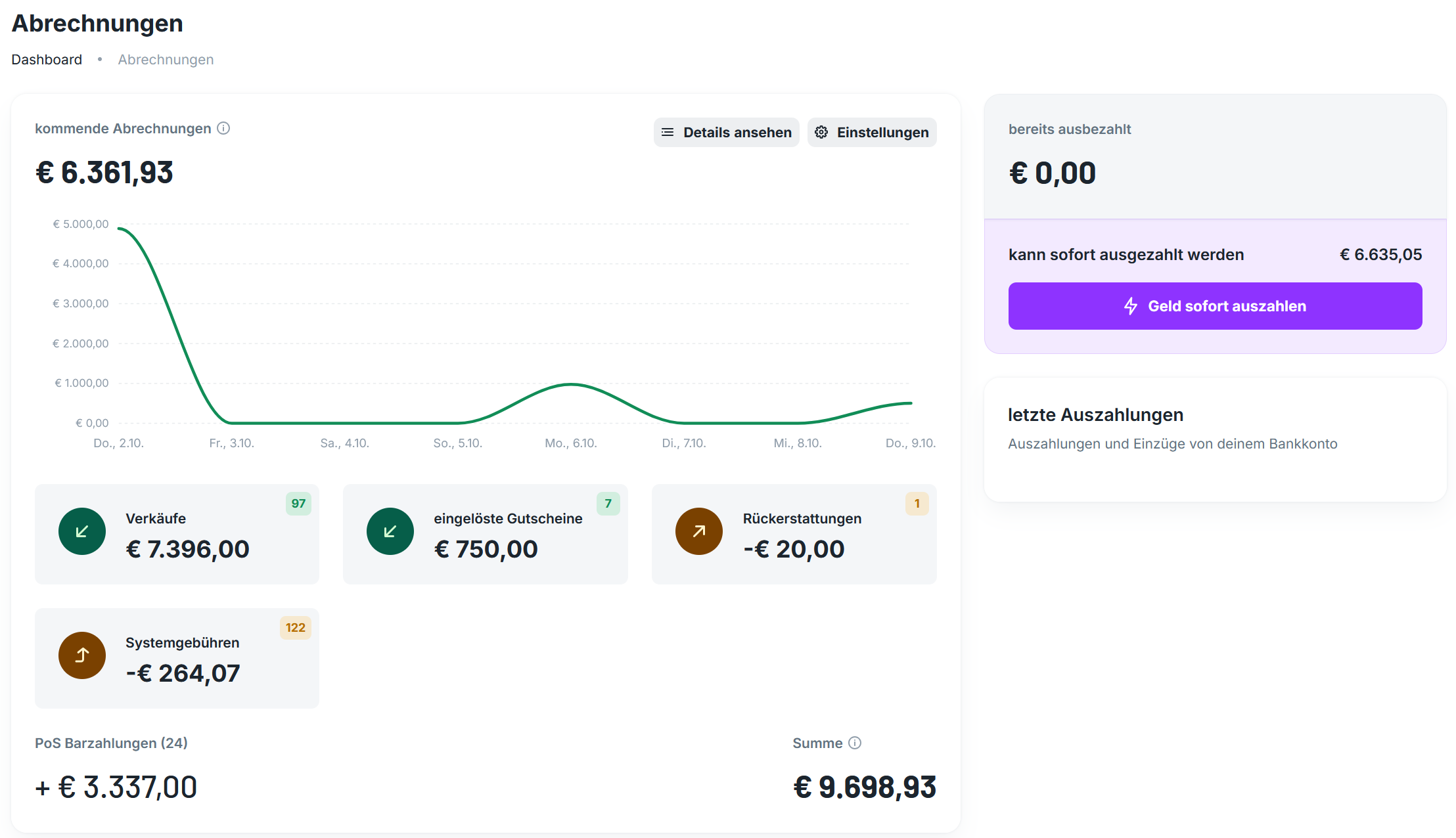
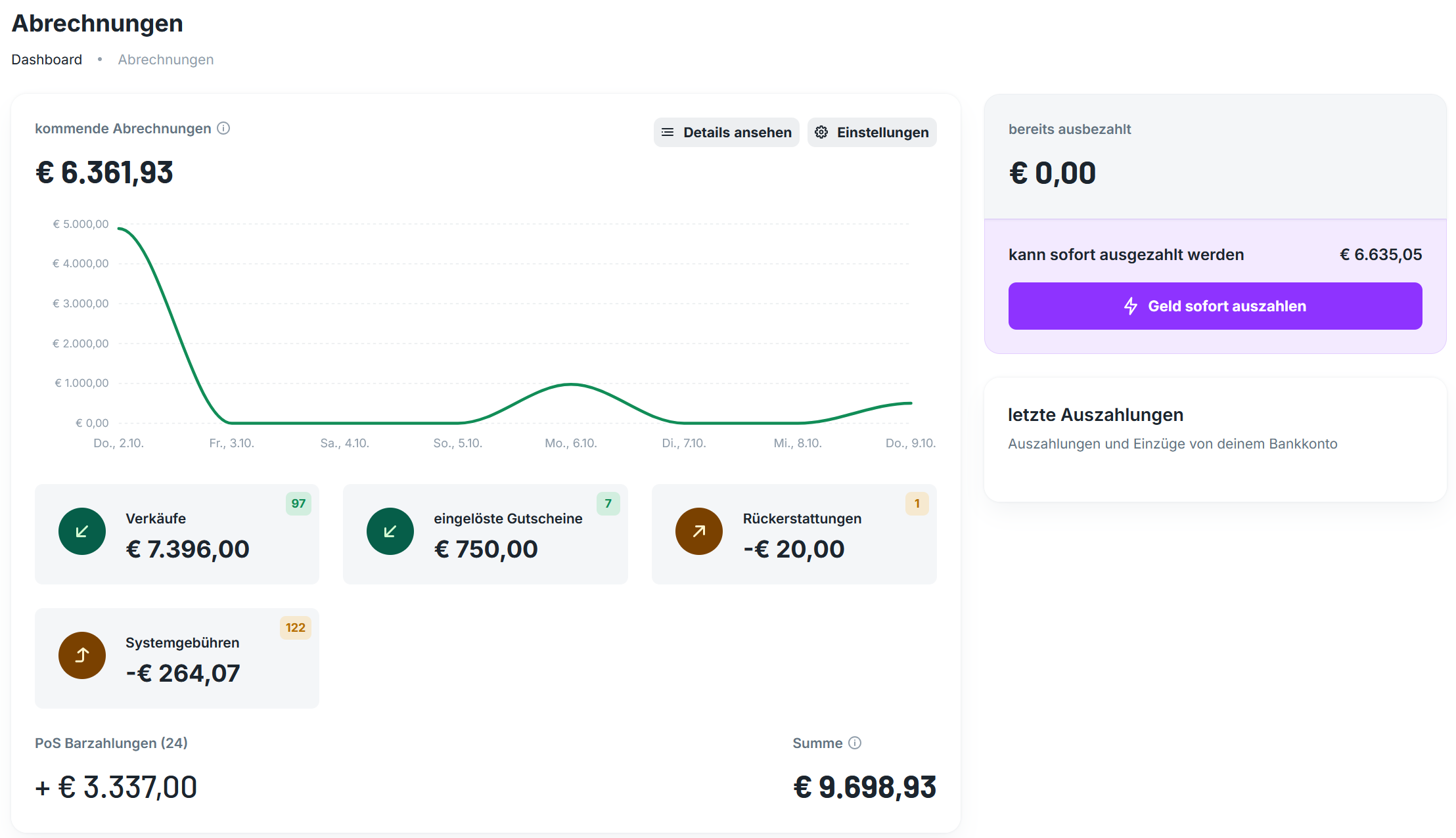
With our new payout system, you now decide when and how you receive your money. Whether collected after the event ends, at regular intervals or even immediately via instant payout – you’re in full control of your payouts. And the best part: in the redesigned admin area, you can see at a glance when the next payout will land in your account.
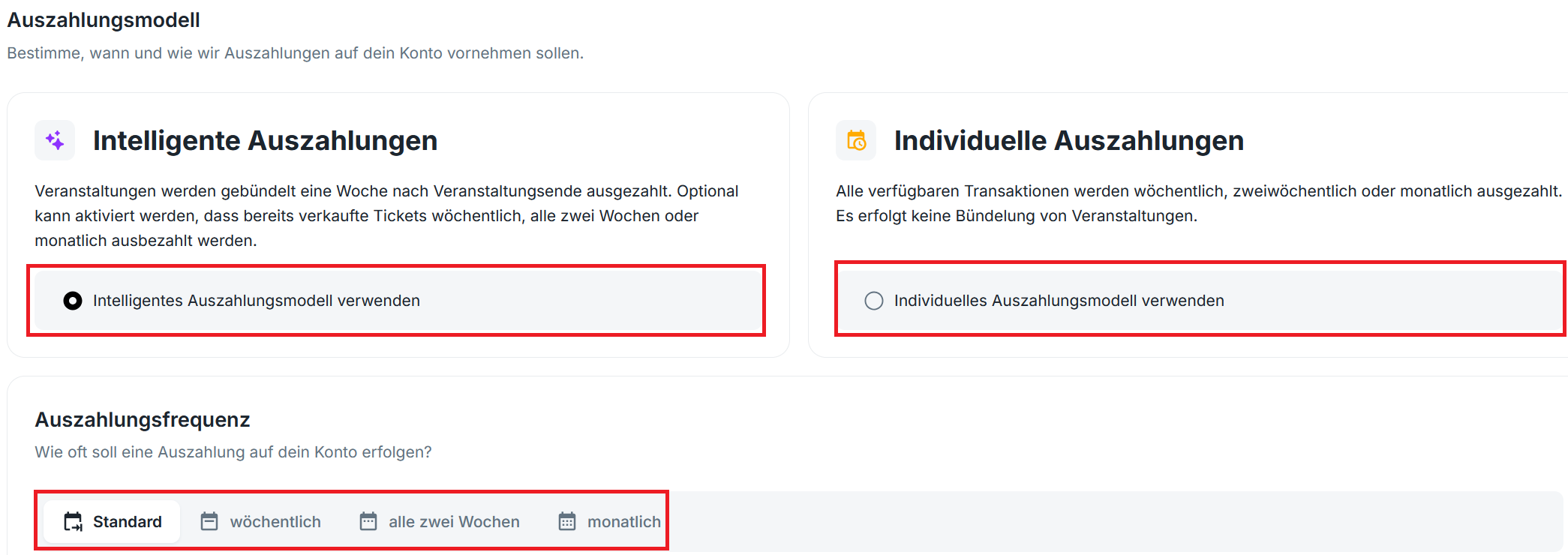
What’s new? ✔ Weekly, fortnightly or monthly payouts – you decide when and how often you receive your money. ✔ Instant payouts – if you like, your money lands in your account right away. ✔ Separate settlements and payout statements – making event accounting clearer and simpler than ever.
Completely redesigned settlements area: ✔ Choose your preferred payout frequency at any time – flexibly and to suit your needs. ✔ Keep track: you can always see when the next payout will take place. ✔ Statements for payouts and payments directly in the admin area – all in one place, clearly organized and ready to hand.
This gives you full control over your finances and a clear overview of all upcoming payouts at all times.
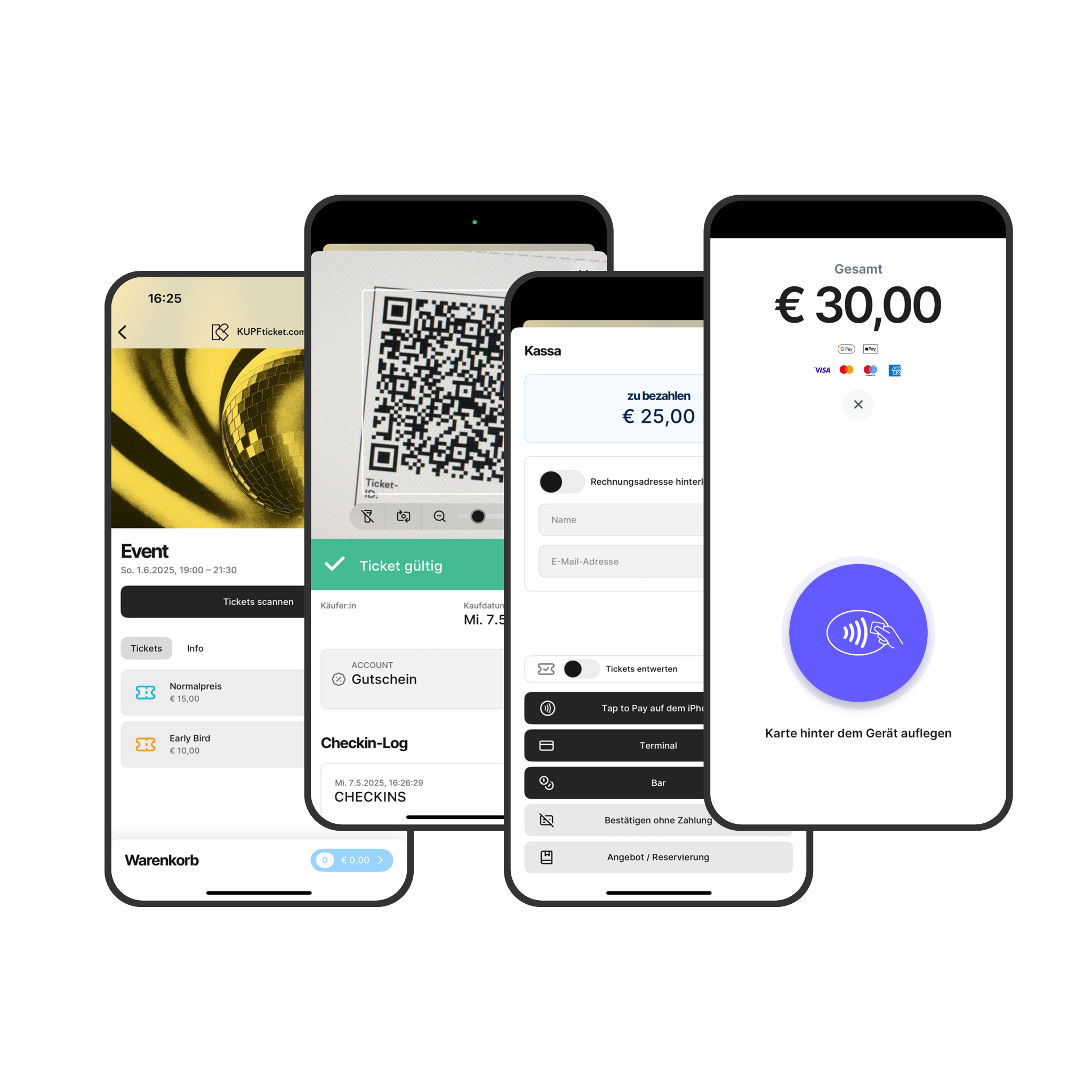
With the brand-new KUPFticket app, your smartphone becomes a mobile card terminal for your box office – thanks to the innovative “Tap to Pay” feature! Simply, securely and without additional hardware costs, you can accept contactless payments directly with your smartphone.
The best part: KUPFticket sellers don’t need to buy an extra terminal – just update the app or install it from the usual app stores and get started right away!
But that’s not all: the app also offers new, convenient cart handling. You can now add and configure several tickets in the cart at once. Intuitive entry of discounts and vouchers and direct ticket validation on the smartphone are included.
Discover the all-in-one solution now: scanner, POS and ticket shop in a single app!
Your benefits at a glance:
✔ Sell tickets faster than ever – directly with your smartphone ✔ Accept card payments without extra devices ✔ Convenient cart handling for easy sales ✔ Intuitive management of tickets, donations and vouchers ✔ Instant ticket validation – no extra scanning needed
How the new KUPFticket app works:
✔ Login: Simply sign in to the app with your KUPFticket.com login details to access your shop. You can then start selling and scanning tickets right away (the QR codes on the tickets, as PDF or digital).
✔ User management and roles: The familiar user management lets you add new users to the shop. They can either only scan or also sell tickets. That way, your admin login stays secure.
✔ Sell tickets via Tap to Pay with debit card, credit card, Google Pay and Apple Pay
✔ Manage general admission and reserved seating
✔ Select discounts, redeem promo codes or vouchers
✔ Validate tickets directly at the time of sale – no more scanning afterwards!
✔ Collect donations – easily and directly
✔ Sell vouchers – another plus for your ticket shop
🚀 Update the app now and start using the new features!
New updates: convenient cart handling, ticket limits per order & improved design With this update, we’re introducing new, convenient cart handling and new features such as ticket limits per order and an improved shop design. From now on, several tickets can be added to the cart at once and configured individually, both in the web shop and at the point of sale. Intuitive entry of discounts and vouchers and direct ticket validation are included. (Spoiler: coming to the app soon, too. You’ll find a short preview at the very bottom.)
Your benefits at a glance: ✔ Efficient cart handling for faster sales ✔ Configurable ticket limits per order ✔ Intuitive management of tickets, donations and vouchers ✔ Instant ticket validation – no extra scanning required
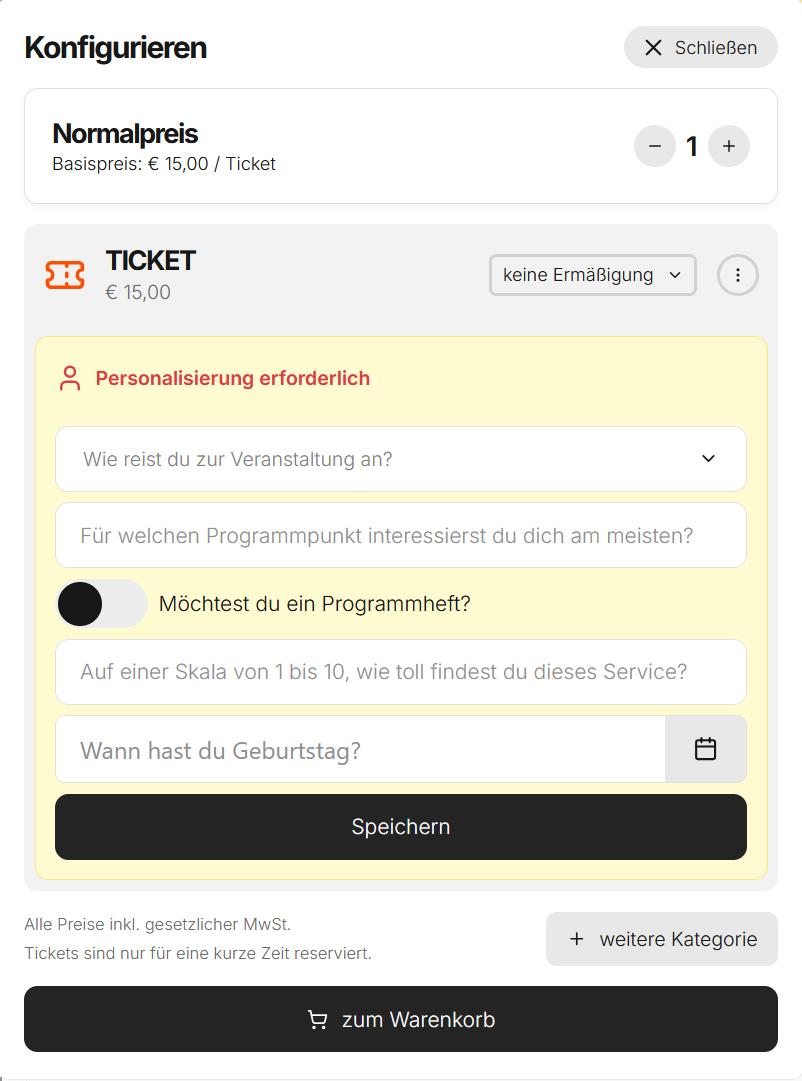
New cart behavior in the web shop & POS You can now add several tickets of one category to the cart at once. You can also add further categories in the same step. This makes the buying process much simpler.
Maximum number of tickets per order Under Shop configuration > Ticket sales, you can now set a maximum number of tickets per category and order. This gives you flexible control over how many tickets each customer can buy.
Modernized user interface in the web shop and POS The interface has been reworked and cart handling made even more intuitive. Discounts, promo codes and vouchers are now even easier to apply.
Instant ticket validation in the POS Tickets can be validated directly at the time of sale – making things easier at the box office.
Quick access to reservations Reservations can now be accessed directly in the cart view, so you always keep track.
Preview: the new KUPFticket app The new app is about to be released. You’ll find all the improvements from the web shop and POS in the upcoming version as well. The “Tap to Pay” feature has already been tested successfully – we’re just waiting for final approval from the payment provider. It turns your smartphone into a mobile card terminal: contactless payments – simple, secure and without additional hardware.
Our popular voucher solution is making a comeback with new features:
✔ Buy and redeem KULTscheine directly in the web shop: vouchers for your events can now be bought and used directly on your shop page. ✔ Keep track of the balance: using the QR code on the voucher, buyers can check the remaining balance at any time. ✔ Overview in the admin area: the new menu item in the admin area gives you a constant overview of the KULTscheine sold and the remaining balance.
Redesigned admin area Our admin area is now even more intuitive and clearly organized – so you can keep track of everything more easily and quickly!
Payout notifications Users with the admin or billing manager role can now enable notifications about payouts. This feature can be switched on or off individually in the admin area.
“Add to calendar” Buyers can now export your events directly as a calendar entry (.ics file) – a handy feature that puts your events firmly in attendees’ calendars.
Discounts now sorted alphabetically All discounts are now shown alphabetically in the web shop to make things even clearer.
Bug fixes and improvements We’ve fixed a number of minor bugs, including:
✔ Issues with mouse-over on images ✔ The Enter key when entering promo codes ✔ Progress bar for project donations ✔ Issues with the data export