Your donors automatically receive a confirmation email from us with the donation receipt for the full amount donated to you.
FAQ Group: kulturspenden
-
kulturspenden – payouts
Payouts are made automatically once a month.
You receive the invoice by email, and it can be downloaded from your admin area at any time.
-
kulturspenden – fee overview
Online and POS via card terminal:
Donations: 3.7% of the gross amount + €0.20 + VATMinimum fee:
Donations: €0.30 + VATMinimum donation:
€1.00See:
https://kupfservices.com/en/pricing/ -
kulturspenden – statutes checked yet?
Since January 1, 2024, tax-deductible donation status has been open to all non-profit associations, including cultural associations. Donations to a non-profit cultural association can now be deducted from taxes. An important criterion for obtaining this status is the association’s statutes. Do your statutes meet the necessary requirements regarding non-profit status? Here is a checklist.
All information (in German):
https://igkultur.at/praxis/spendenbeguenstigung-statuten-schon-gecheckt -
kulturspenden – FAQs of the tax office
Here you can find all the necessary information compiled by the Austrian tax office (in German):
https://www.bmf.gv.at/themen/steuern/spenden-gemeinnuetzigkeit/spendenbeguenstigung-neu.html -
kulturspenden – tax-deductible donations since 1 Jan 2024
Note on the new tax-deductible donation status:
Since January 1, 2024, all non-profit organizations can opt into the list of donation-beneficiary organizations.
The tax office has compiled a clear FAQ on this (in German).
kulturspenden.at supports you with the required reporting of donations to the tax office. We’re happy to help if you have questions.
-
kulturspenden – create a donation campaign
Step 1: Enable Kulturspenden
Under “Shop configuration” -> “Features“, you can enable the “Kulturspenden” feature at any time: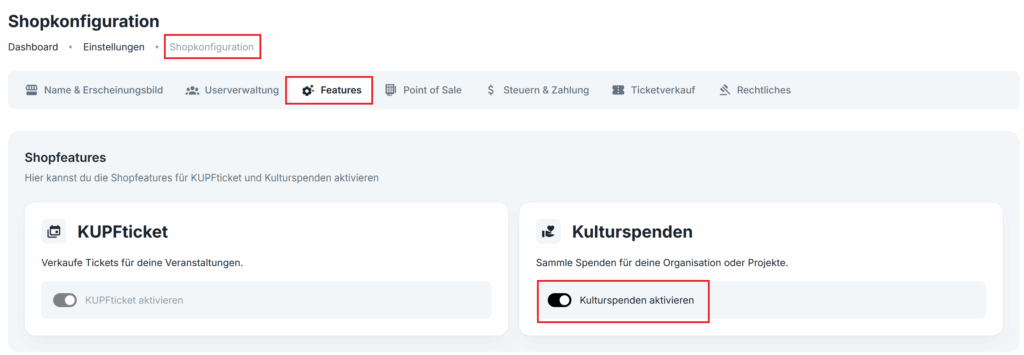
Step 2: Create a donation campaign
Now, under “Donation campaigns“, you can create a donation campaign for your organization or start a crowdfunding campaign (project donation) at any time: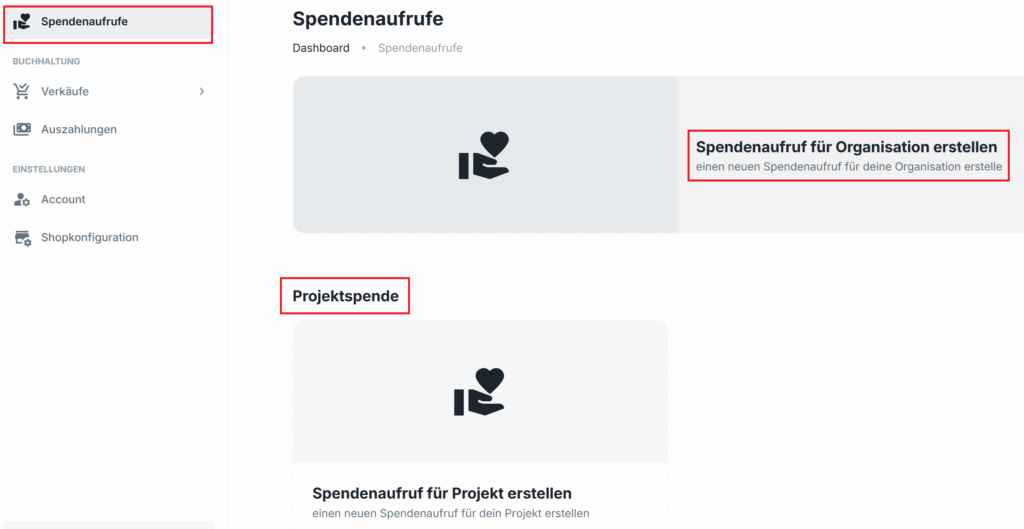
(optional) Step 3: Enable tax deductibility of donations
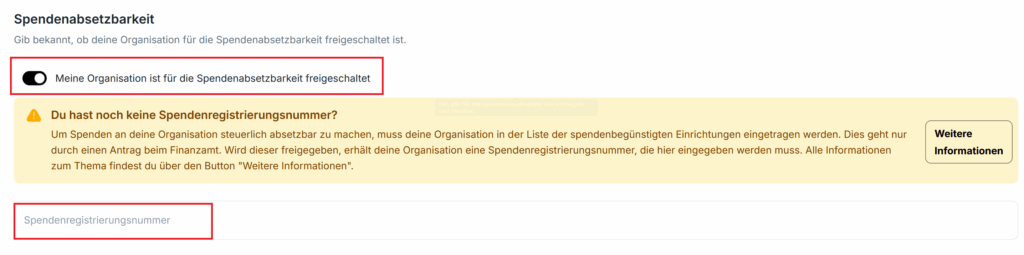
Under “Shop configuration” -> “Taxes & payment“, you can optionally enable tax deductibility if your organization is on the list of donation-beneficiary organizations.The donation registration number uses the following format: KK–1234 -> don’t forget the hyphen. It is sometimes missing in the authority’s notice.