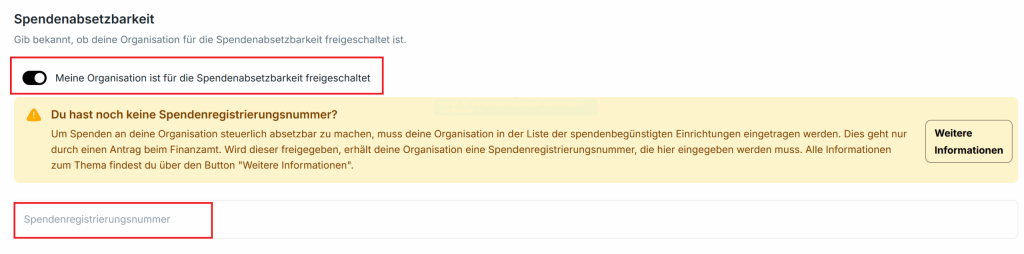
Step 1: Enable Kulturspenden
Under “Shop configuration” -> “Features“, you can enable the “Kulturspenden” feature at any time:
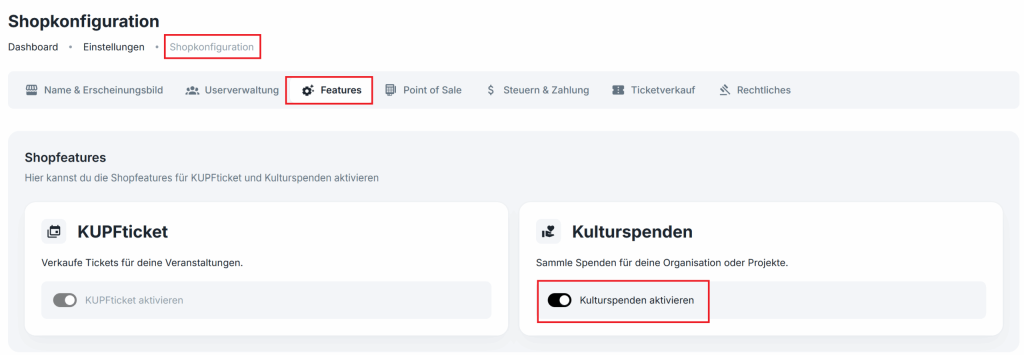
Step 2: Create a donation campaign
Now, under “Donation campaigns“, you can create a donation campaign for your organization or start a crowdfunding campaign (project donation) at any time:
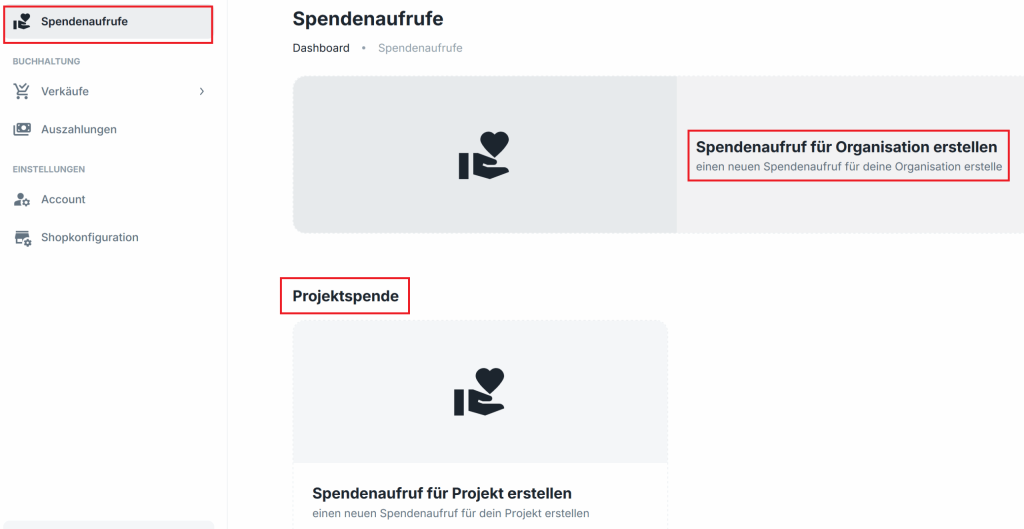
(optional) Step 3: Enable tax deductibility of donations
Under “Shop configuration” -> “Taxes & payment“, you can optionally enable tax deductibility if your organization is on the list of donation-beneficiary organizations.
The donation registration number uses the following format: KK–1234 -> don’t forget the hyphen. It is sometimes missing in the authority’s notice.