Customers can pay on KUPFticket with a wide range of common payment methods. The following are currently supported:
Debit card
Credit card
EPS online bank transfer
Apple Pay
Google Pay
Wero
Link
Organizers do not incur any additional fees, regardless of the payment method chosen.
Please note that the availability of individual payment methods may vary depending on the buyer’s country, device or browser. If the requirements are met, the available payment methods are shown automatically at checkout.
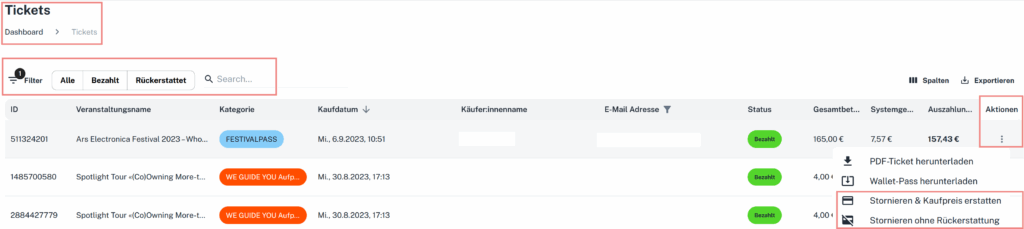
Under “Tickets”, select the booking in question (regardless of whether it was paid online, via the app or via card terminal). In the far-right column, click the three dots and select “Cancel & refund”.
With our payout system, you decide when and how you receive your ticket revenue.
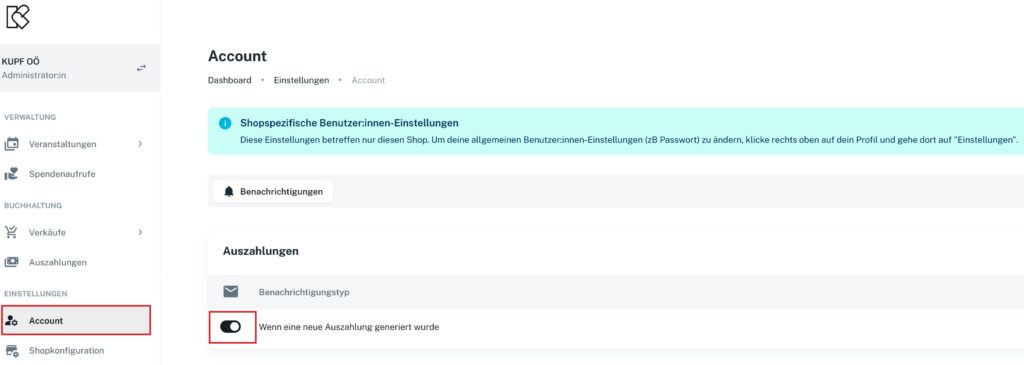
Whether collected after the event ends, at regular intervals or immediately via instant payout – you can freely choose the payout interval at any time in the settings under Shop configuration -> Taxes & payment.
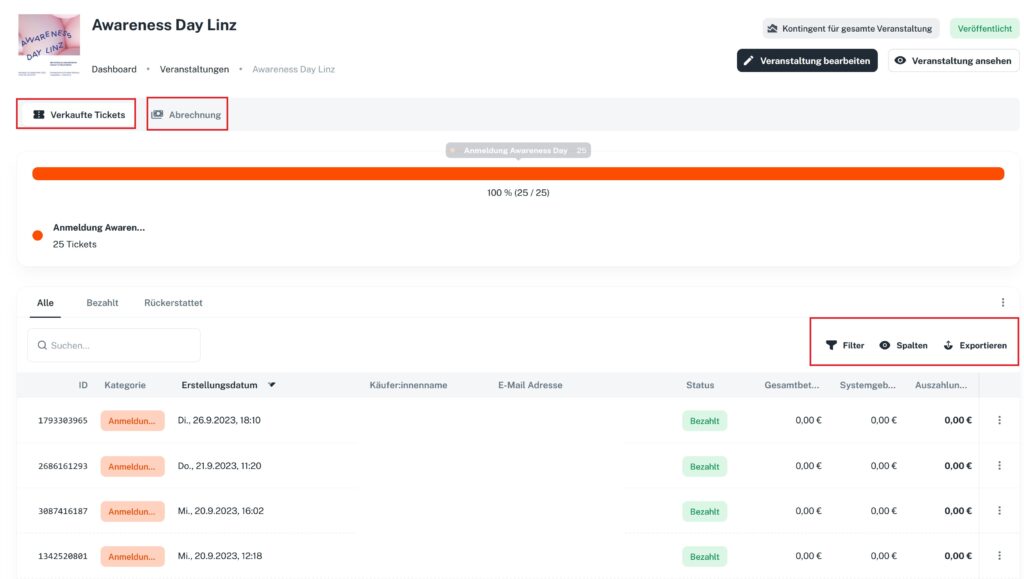
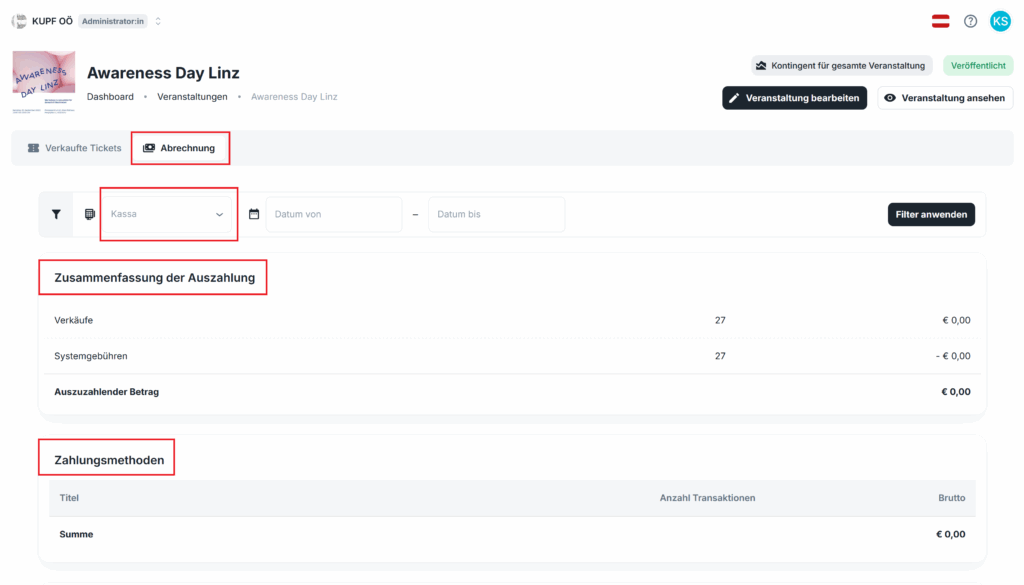
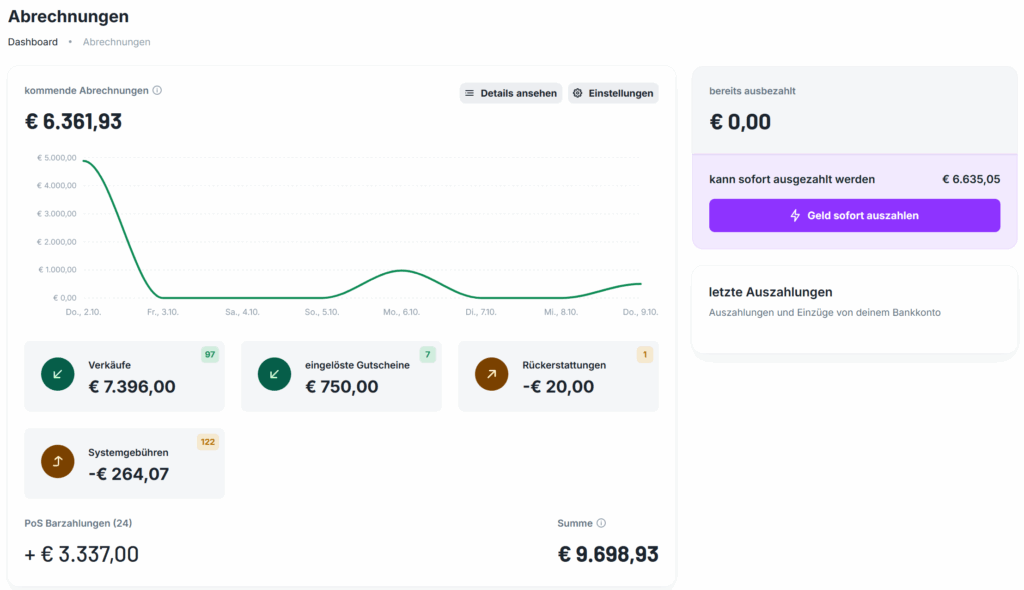
In the Settlements section, you can check at any time when the next payout will be triggered. You’ll also find the option to pay out money immediately (instant payouts) there. All invoices and payout statements are available for download there.
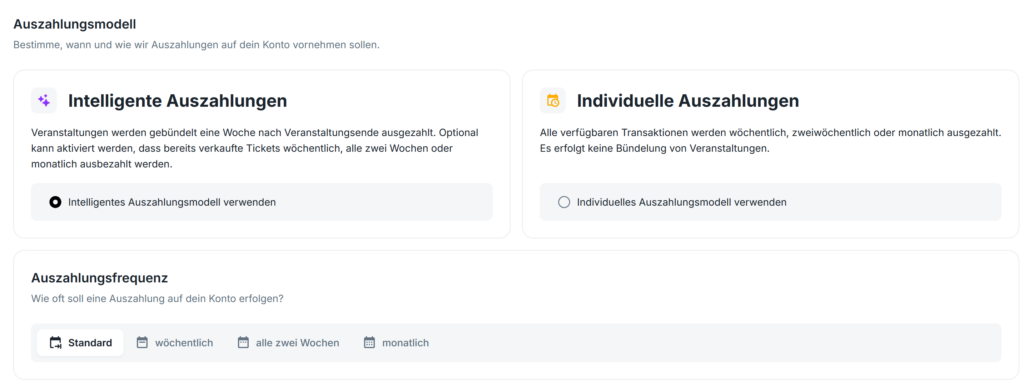
In the settings, you can choose between our two payout models at any time.
Our payout models
1) Smart payouts
Standard
The revenue from an event is usually paid out in full approximately 8 days after the event ends.
Note: Partial payouts may occur beforehand (see exceptions*). The advantage: with this payout frequency, the entire event is settled and paid out 8 days after it ends.
*Exceptions 1) If ticket revenue has been held in your Stripe account for 80 days, the payment provider is obliged to pay it out early. This can result in several payouts per event. 2) If an event has already been running for more than two weeks and is also still more than two weeks away from ending, payouts are made weekly. Typical example: museums.
Weekly, fortnightly or monthly
Ticket revenue per event can also be paid out in bundles weekly, fortnightly or monthly.
Note: With a busy event program, this model results in a large number of payouts and settlement statements.
2) Custom payouts
All available revenue is collected and paid out at a fixed interval regardless of individual events — weekly, fortnightly or monthly.
Note: Recommended for organizers who want to simplify their accounting.