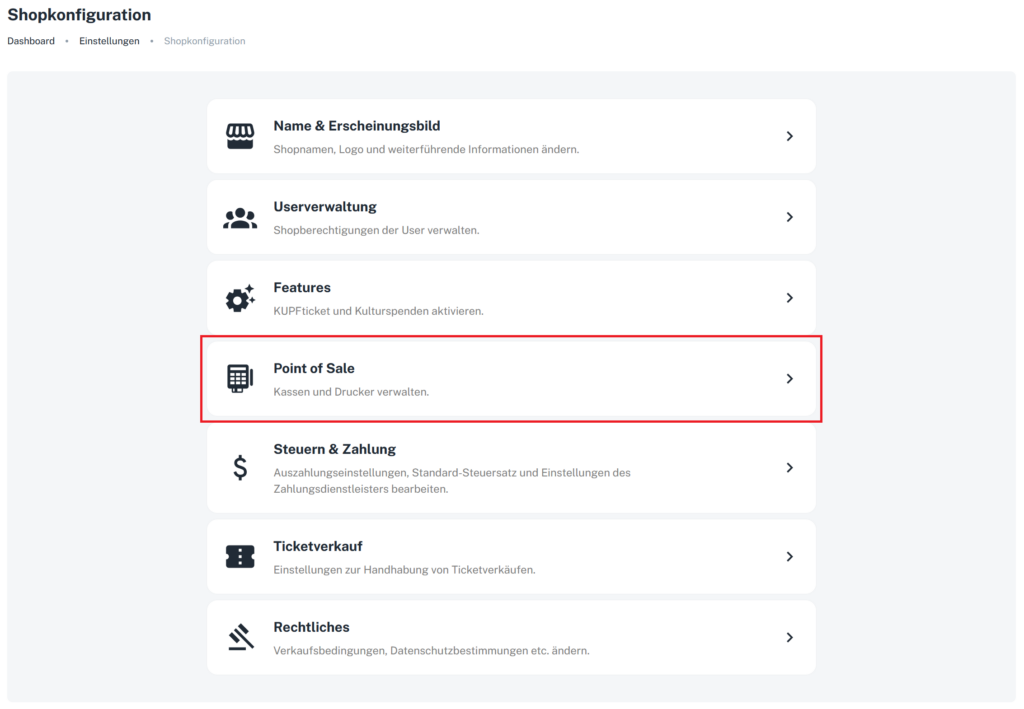
To accept card payments via the POS as well, you need to add a Stripe terminal in the POS settings. To do so, go to “Shop configuration” in the main menu and select “Point of sale”.
1) Configure the point of sale
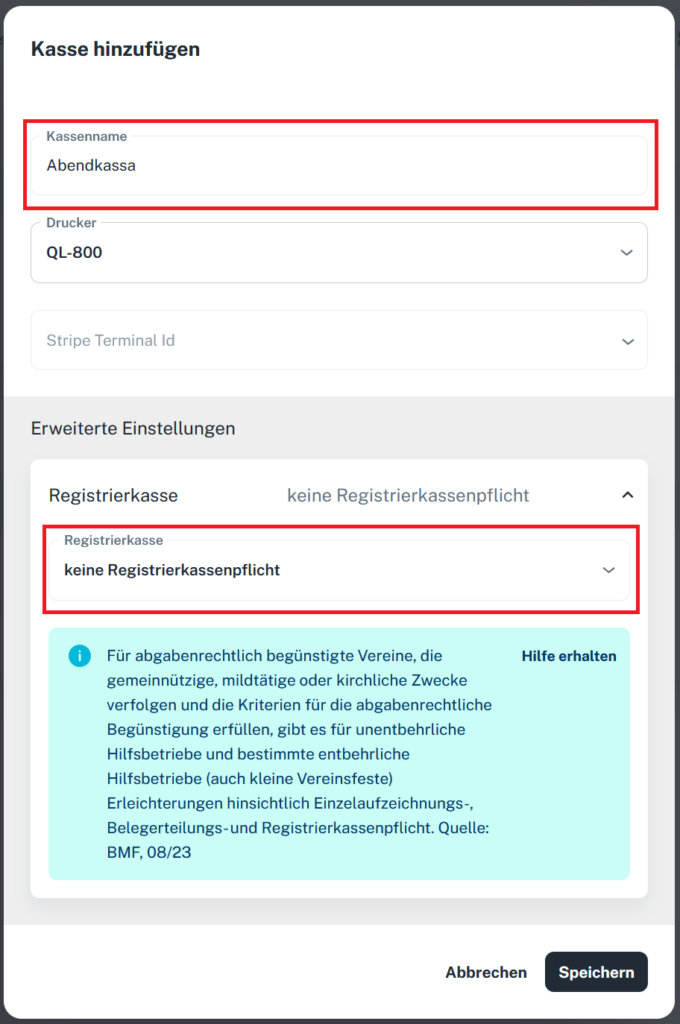
2) Add a register

3) Add a Stripe terminal
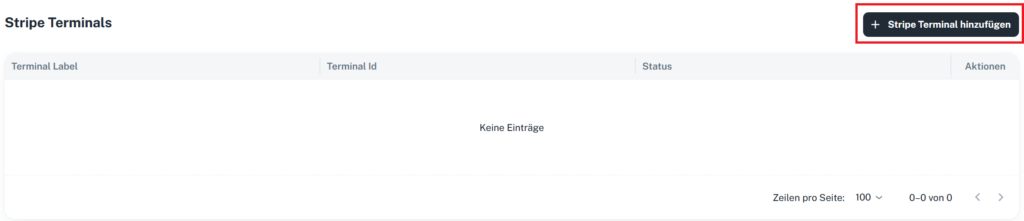
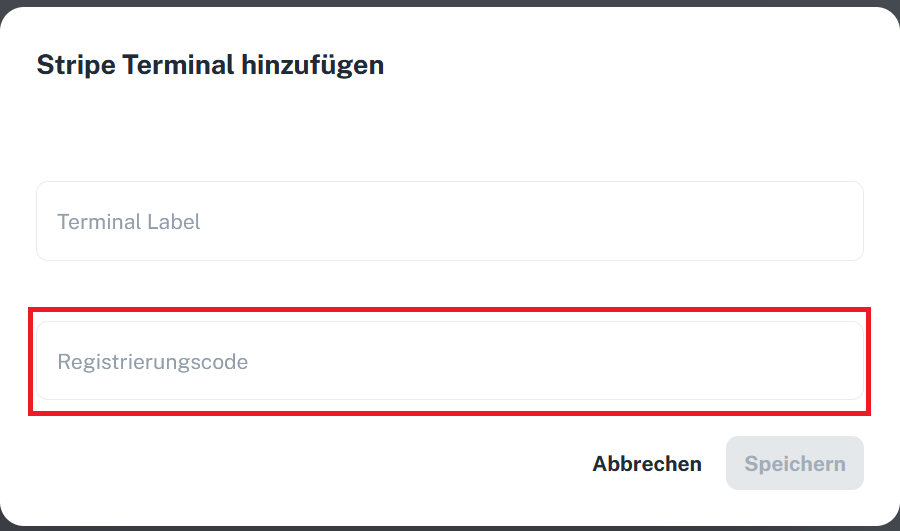
Now switch on the card terminal, connect it to a Wi-Fi network and wait until the registration code appears.
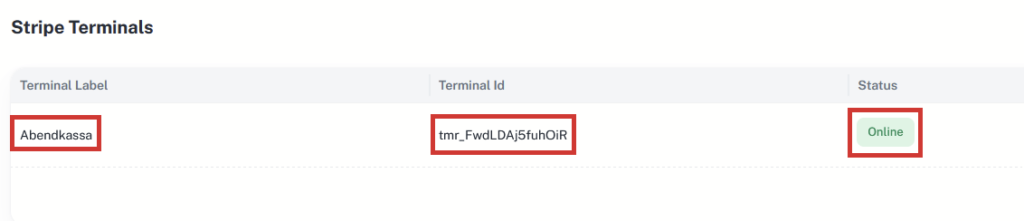
You can tell whether the terminal is connected to the shop by the status “Online”. Now the Stripe terminal just needs to be linked to the register.
4) Link register and terminal

Open the register’s edit mode by clicking the three dots and then “Edit”.
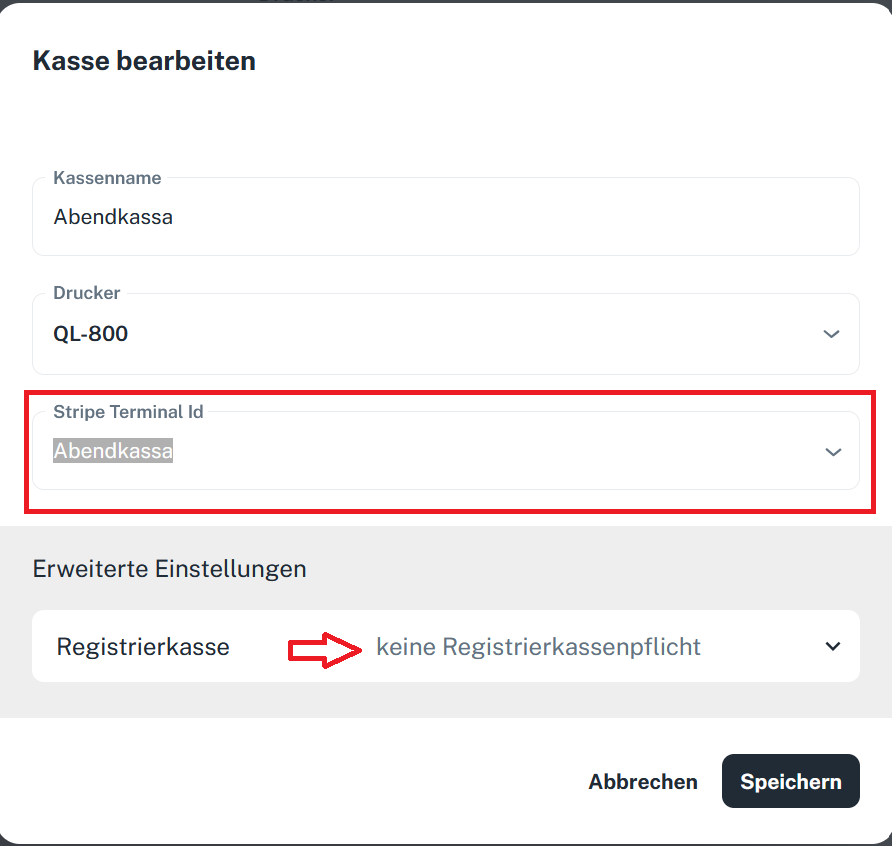
Now select the Stripe terminal you created earlier from the dropdown menu.
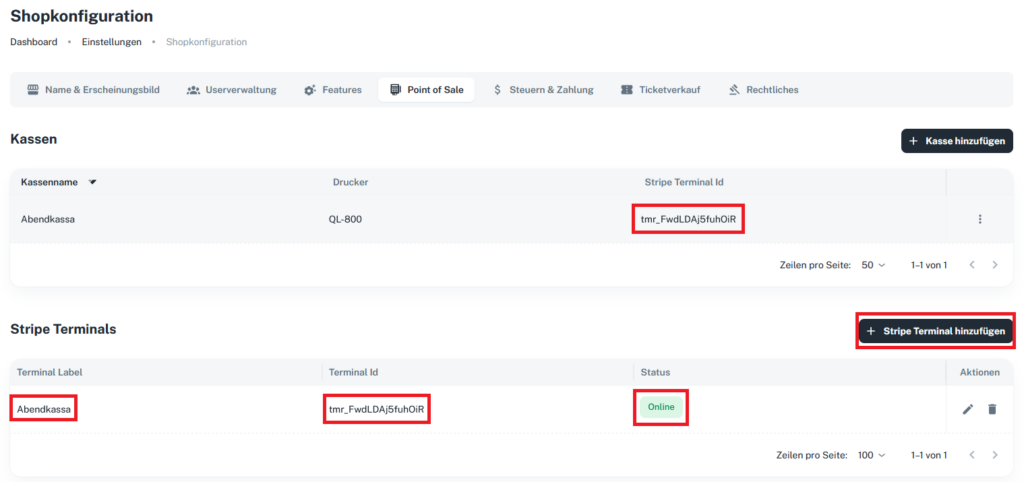
Once all settings have been made, the linked Stripe terminal appears next to the register.
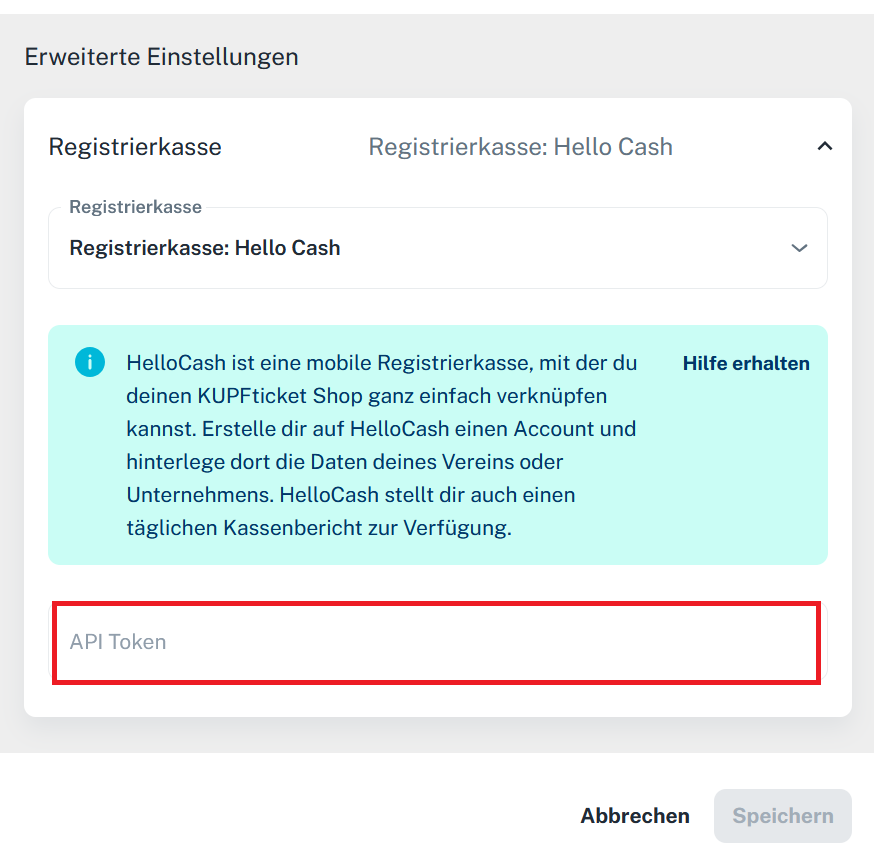
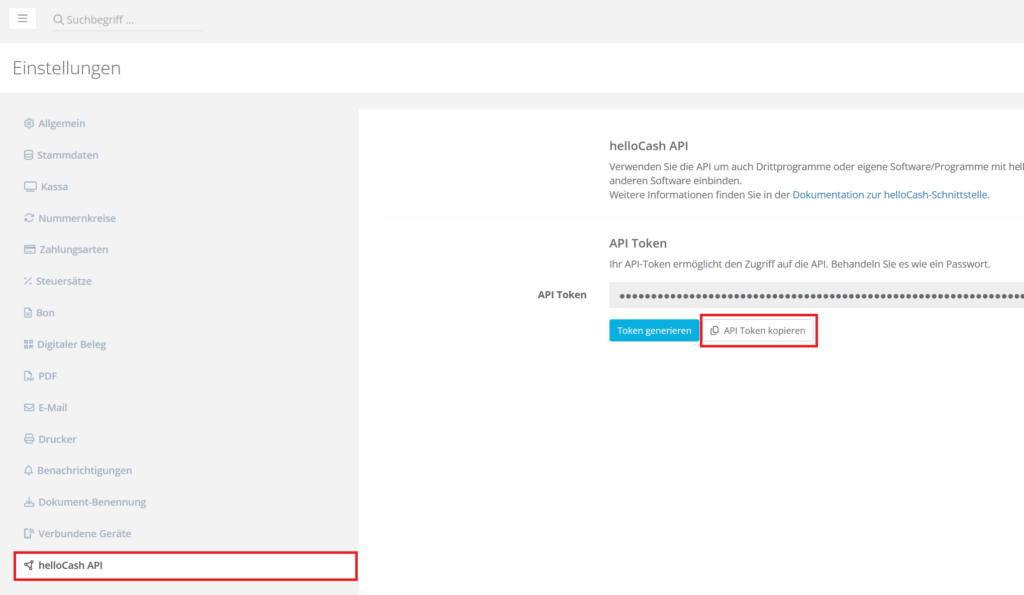
If you need a cash register integration, you can set this up in the register’s edit mode: